RESIDENT PORTAL LOGIN INSTRUCTIONS
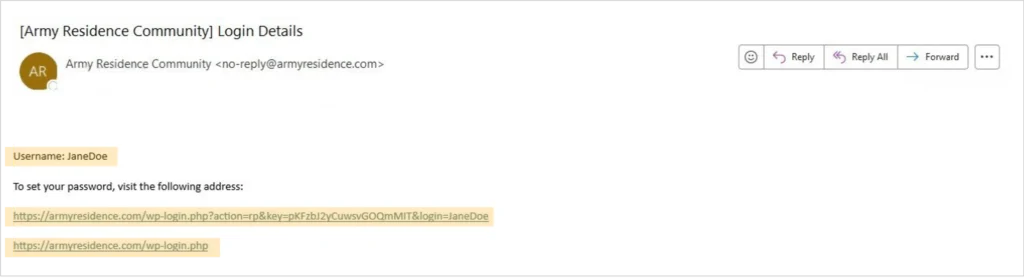
Default Resident Portal Profile. Upon moving into the ARC, the Marketing Department will create your Resident Portal Profile. You will receive an email from “Army Residence Community <no-reply@armyresidence.com>” containing your permanent username and a link to generate your new password, highlighted in yellow below. Please note that your permanent username will be your first and last names combined into one word.
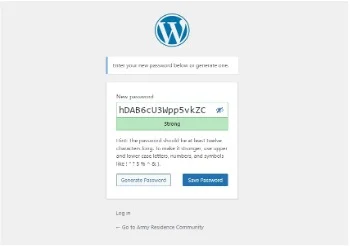
Creating a new password. Click the link in the email, which will take you to the “Generate Password” page. Enter your new password in the textbox, ensuring it meets the character length requirements as instructed. Then, click the “Save Password” button to confirm your new password.
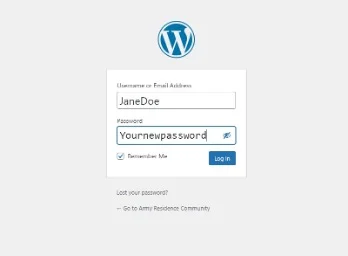
Logging in using permanent username and new password. After clicking the “Save Password” button, a new screen will prompt you to log in using your permanent username and the new password you just created. Tick the “Remember Me” checkbox to save your login information, then click the “Log In” button to access your Resident Portal Profile.
Navigating the ARC main page. Upon logging in, you will be redirected to the ARC Main Page (www. armyresidence.com). The main page features drop-down menus, buttons, and a search box that will help you navigate the information available to public browsers. These elements are marked with green dots, as shown below.
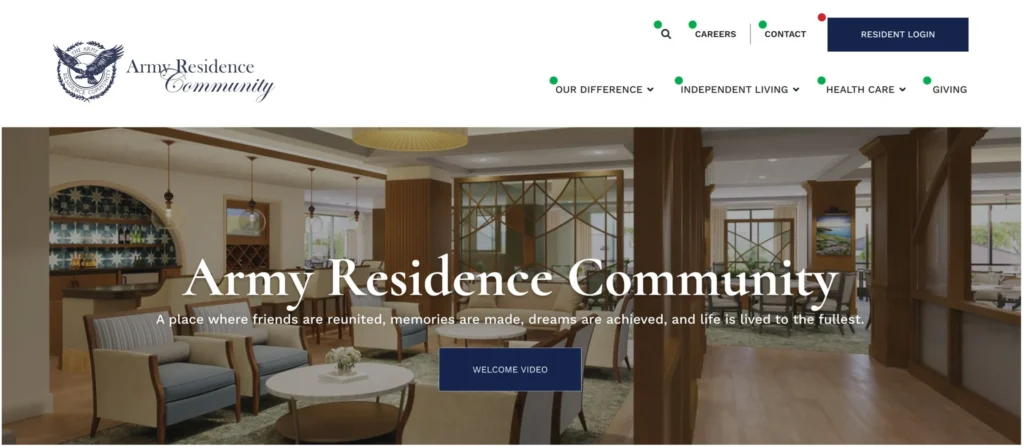
Accessing the Resident Portal. To access the Resident Portal, click the “Resident Login” button marked with a red dot. After logging in, you will be redirected to the Resident Portal page, where additional tabs and menus will allow you to explore various content and information.
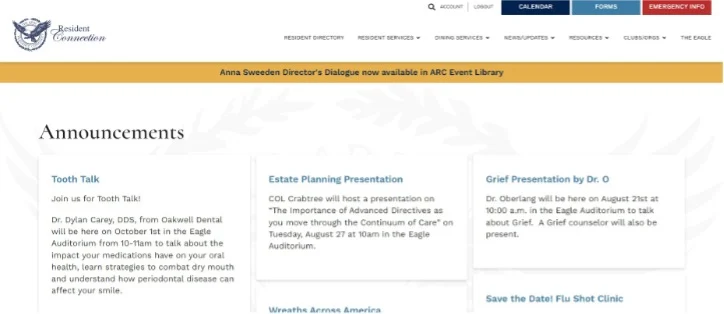
Additional support. If you have further questions regarding the resident portal, please contact the ARC Marketing Department at (210) 646-5315.